
Use the post editor to create your posts and customize them for each social media channel, and take a look at the post preview to see how it will show up on social media. You can also import content to SocialBee from various sources, like RSS Feeds, Pocket, media files, links, and CSVs for quick and easy access to more content.
Post variations let you create fresh versions of the same post across channels to ensure that it’s optimized for each. (Throw around words like “strategic” and “synergy” for LinkedIn.) Once you’ve created or imported your content, add hashtags, emojis, GIFs, and photos, then schedule it for your social media channels. Or you can import designs directly from Canva.
When you schedule posts in SocialBee, you’ll get to decide if it’s a one-time post or a post you’d like to recycle (that is, post again at a later date). Automate and optimize your posting even further by scheduling based on content categories, so you can organize your posts by category to get a better mix of content.
Just like that chore wheel on your fridge for your adult roommates, you need a system for scheduling when it comes to social media. With SocialBee, you can generate a schedule for your profiles and add time slots that are relevant based on when your audience is online.
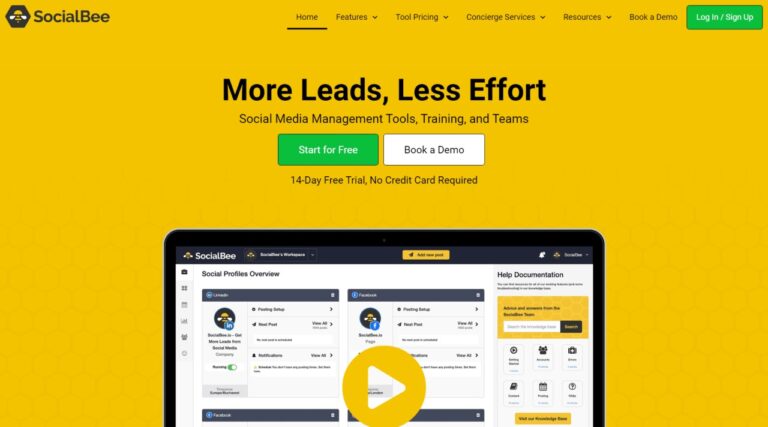
The main dashboard offers an overview of all your connected profiles, letting you add more profiles, designate separate schedules for each, and create a time-specific posting. Preview your post and add any final touches before it’s published. Thanks to Schedule Stats, you’ll also be able to see how often you’re posting to maintain consistency.
Measure your efforts with SocialBee’s Analytics feature, which displays your top-performing posts, follower growth, and activity status. You can customize all the links you’ll be sharing with shorteners like Bitly, Rebrandly, Replug, and even other AppSumo fam tools, like PixelMe, JotUrl, RocketLink, and Switchy.
Back to Directory
{post_terms_endorsement @fallback:'WordPress Product'}
SocialBee Showcase: Alternative to Hootsuite & Publer
Alternative to: {post_terms_alternative}
SocialBee is a social media management platform that helps you create, curate, schedule, and recycle social media content.
Total Views:
Times
Product Types:
{post_terms_product-type @fallback:'Unspecified'}
Product Categories:
{post_terms_product-category @fallback:'Unspecified'}
Dependent on:
{post_terms_dependency @fallback:'Unspecified'}
Listing Type:
{post_terms_listing @fallback:'Unspecified'}
Pricing Model:
Deal Platform:
{post_terms_deal-platform @fallback:'Unspecified'}
Deal Types:
Deal Status:
Share Your Thoughts
Have you used this add‑on or are you planning to try it? Let us know your thoughts, experiences, or questions in the comments to help others in the community.
Other Similar Products
Explore additional products listed in the directory. This section simply showcases more options you can check out to see if they fit your WordPress projects.
Explore Product Directory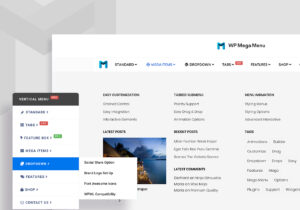
{post_terms_endorsement:1}
Freemium,
{post_terms_product-category:1}
WP Mega Menu Showcase: Alternative to Max Mega Menu
WP Mega Menu is a responsive, highly customizable, drag and drop menu builder plugin for WordPress. Its user-friendly experience allows creators of all skill levels to design highly navigable mega menus for their WordPress website.
{post_terms_endorsement:1}
{post_terms_product-category:1}
Sendwin Showcase: Alternative to SessionBox
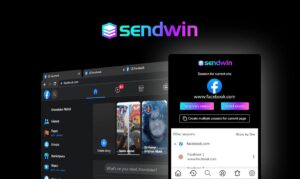
With Sendwin you can access all of your online accounts from one browser session. Login to multiple Facebook accounts, Gmail accounts, and any other website at the same time, in the same browser.

{post_terms_endorsement:1}
Perpetual
{post_terms_product-category:1}
Solid Affiliate Showcase: Alternative to AffiliateWP & Ultimate Affiliate
Everything you need to run an affiliate program with WooCommerce. Build, manage and track your own affiliate program from the comfort of your WordPress dashboard.